
If you spend long hours at a desk — whether it’s at work, studying, or running a household from the kitchen table — you’ve likely experienced the dull throb or tension that creeps up by mid-afternoon. Headaches are one of the most common complaints from desk-bound workers, and the culprit is often poor ergonomics.
The good news? You don’t need to throw out your furniture or invest in fancy gadgets to make a difference. Here are three simple ergonomic adjustments you can make to your desk setup today to help ease the strain on your body—and your head.
1. Raise Your Screen to Eye Level
Why it matters: Looking down at a laptop or screen for hours pulls your head forward and down, putting stress on the neck and upper back. This can lead to muscle tension and trigger cervicogenic (neck-related) headaches.
Fix it:
- Use a laptop stand, a stack of books, or a monitor riser to lift your screen so the top third of the screen is at eye level.
- If you use a laptop, pair it with a separate keyboard and mouse to keep your hands and shoulders relaxed while keeping your gaze forward.
2. Adjust Your Chair and Posture
Why it matters: Slouching or perching on the edge of your seat can compress your spine, strain your neck and shoulders, and reduce circulation—all of which can contribute to tension headaches.
Fix it:
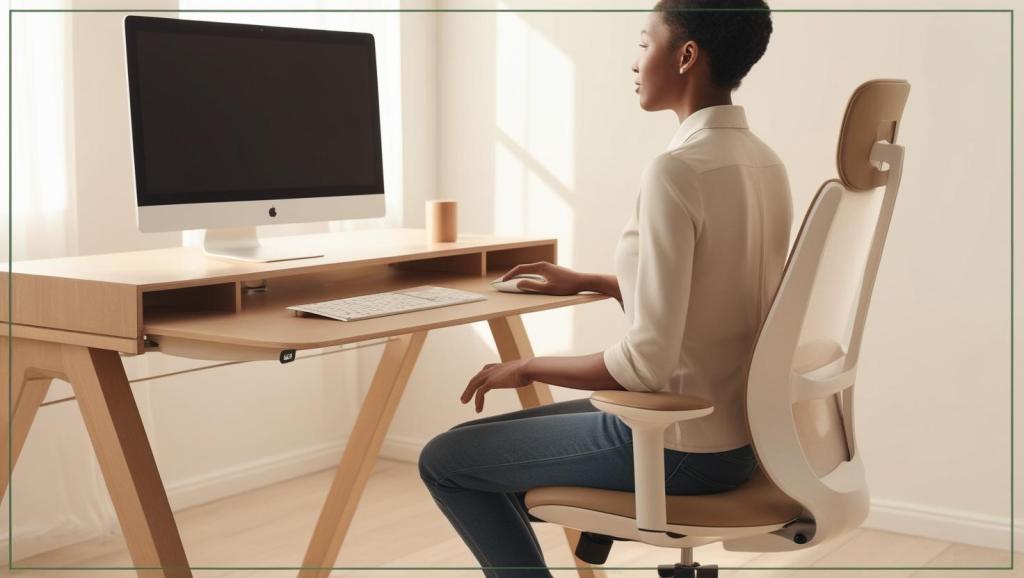
- Sit with your feet flat on the floor, knees at a 90-degree angle, and hips slightly above your knees.
- Your back should be supported (use a small cushion if needed), and your shoulders relaxed—not hunched up toward your ears.
- Think “head over heart, heart over hips.” A neutral spine = less tension.
3. Reposition Your Keyboard and Mouse
Why it matters: Reaching forward or outward for your keyboard or mouse may seem harmless, but over time it encourages forward head posture and shoulder tension—two major players in tension and migraine-type headaches.
Fix it:
- Keep your keyboard and mouse close enough that your elbows stay near your sides at about a 90-degree angle.
- Your wrists should rest in a neutral position, not bent up or down.
- If using a laptop, this fix is another reason to switch to an external keyboard and mouse!
Bonus Tip: Take Movement Breaks
Even the best posture won’t help if you stay locked in it for 8 hours. Try setting a timer every 30–45 minutes to stand, stretch, walk around, or do a few gentle neck rolls. Microbreaks help reset your posture and improve circulation — both important for preventing headaches.
When to Seek Help
If headaches persist despite adjusting your desk, it might be time to go deeper. Often, a combination of poor posture, muscle tension, and lifestyle stress creates a perfect storm. Myotherapy can help by addressing tight muscles, improving mobility, and giving you tailored strategies to reduce and prevent future headaches.
Ready to feel better at your desk?
Book an appointment today to assess your posture, release tension, and get a plan that works for your body.
 The Modern Myo
Leave a comment